FinOps Cloud Cost Analysis and Optimization Platform
Billing Rules | Fund | Cost Analysis | Cost Optimization
Turn multi-cloud billing and usage data into accountable FinOps decisions
- Unify public, private, hybrid cloud, container, network, storage, and SaaS cost data in one FinOps view.
- Allocate spend by business group, project, owner, and cloud platform with custom billing rules, showback, and chargeback.
- Detect waste and cost anomalies, then recommend scheduled start/stop, idle-resource cleanup, autoscaling, and rightsizing.
Cost Analysis & Governance
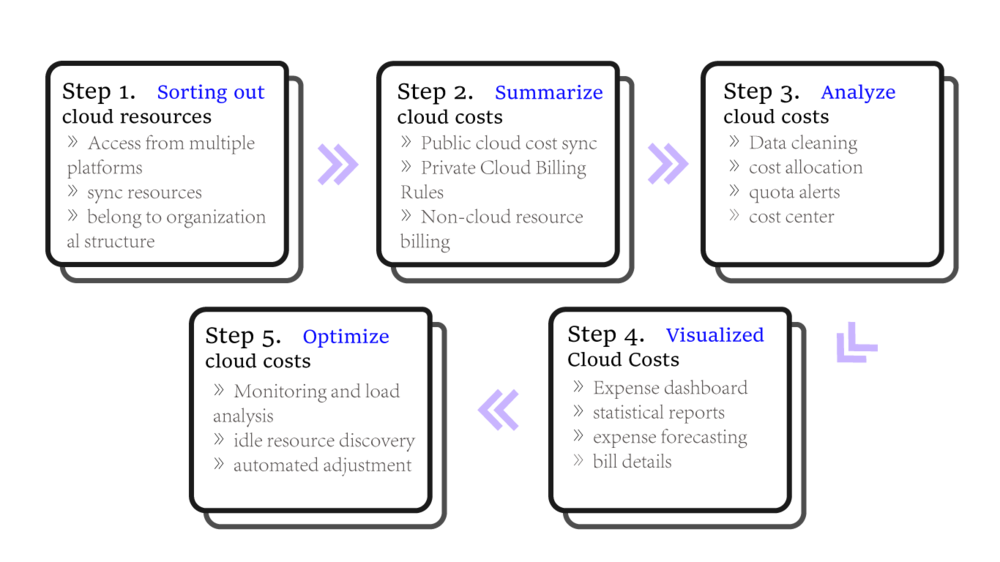
All Costs Can Be traced, allocated and optimized
Key Features
Multi-level organizational structure
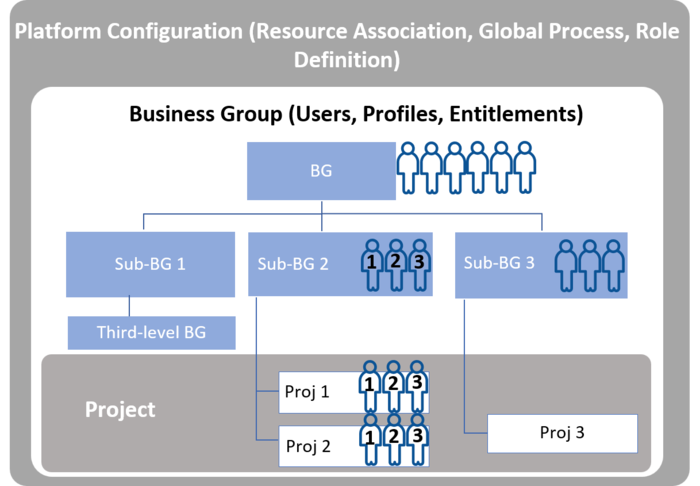
Flexibly define your organizational structure and implement cost responsibilities
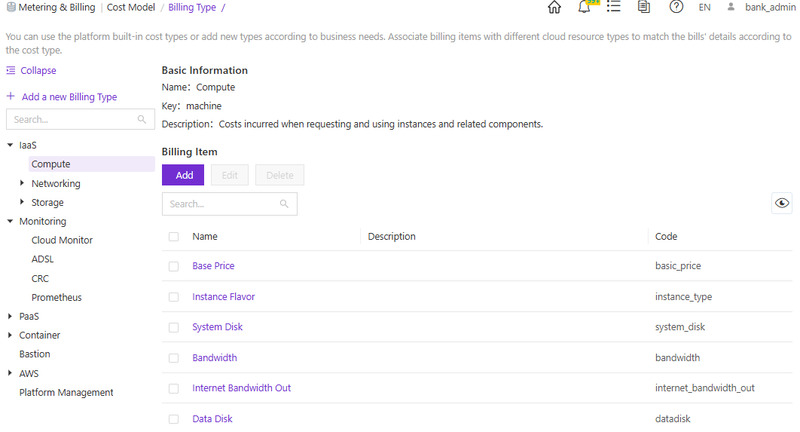
The platform provides a unified organizational structure process, allowing every user expense to be traceable, thereby promoting organizational accountability in expense management; it enables the control of departmental operational permissions, expense quotas, approval processes, and so on.
- Multi-level Business Group / Project
- Different permissions for each organization: Operational permissions, budget quotas, approval processes
- Decoupling of Organization and Costs: Unified Expense Management
Unified management of public cloud/ private cloud/ SaaS costs
The cloud cost analysis platform supports the synchronization of any type of public cloud expenses and performs cost allocation and aggregation based on organizational structure, owners, and other information.
- Multiple Cloud Platform Access — Public cloud, private cloud, container cloud, network, storage, unified access.
- Resource Import and Synchronization — Supports scheduled synchronization of public cloud and private cloud platform resources, with filtering by regular expression or tags.
- Supports manual resource import and association with departments, projects, and resource owners.
Custom billing rules enabling the monetization of any public cloud/ private cloud/ SaaS services
- Cloud resource fees — 1. Classic Mode (Configuration) 2. Expert Mode (Script)
- Non-Cloud Resource Billing — Public cloud, private cloud, network devices, software, etc.
- SaaS service fees — Customize Billing Rules for Various SaaS Services.
- 1. Custom Expense Types 2. Custom Expense Items
- For example, electricity fees, lease fees, etc., enabling any IT expense accounting.
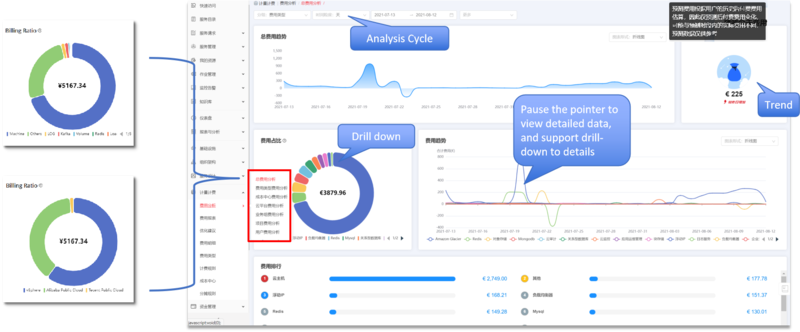
Multidimensional and Visualized Expense Analysis
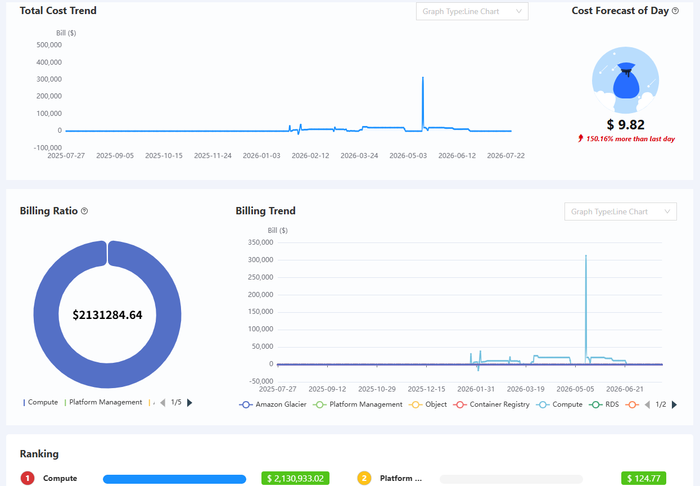
- Rich dashboard components — Built-in with a wide range of components, it comprehensively displays the expenses of various departments, including the monthly departmental expense proportion, expense composition, expense trends, the proportion of expenses for each cloud resource, and daily individual expense rankings. The dashboard supports customization.
- Multi-dimensional billing analysis — Enable management to understand the cost allocation status and spending trends of various public clouds, with built-in multi-level and multi-dimensional cost analysis dashboards, supporting analysis by cost type, cost center, cloud platform, business group, project, and user.
- Various Types of Detailed Reports — Provide detailed cost reports for all cloud environments, allowing administrators to accurately track every expense.
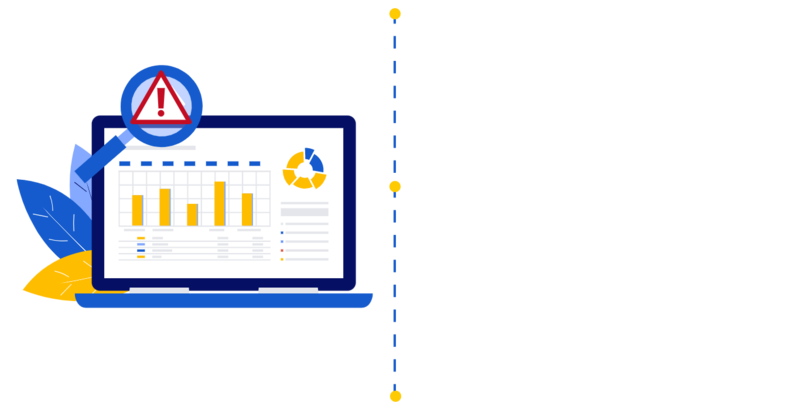
AI Agent for FinOps and Cloud Cost Optimization
- Connect alerts, resource inventory, billing data, and historical trends to analyze impact, explain likely cost drivers, and forecast spend.
- Generate optimization recommendations for rightsizing, idle-resource cleanup, scheduled operations, and policy-based remediation.
- With AtlasClaw, approvals and user confirmation remain in the workflow before any controlled action is executed.
- For resources used in development and testing, automatically turn them off during non-work/work hours to reduce unnecessary waste; set up auto-scaling to dynamically allocate and deallocate resources to meet performance needs.
- Monitor resource performance in real-time and automatically adjust the scale to ensure the business is using the resources it actually needs.
- Compliance Optimization: Strengthen compliance management during operations and quickly spot illegal setups, like VM or RDS exposing risky ports.
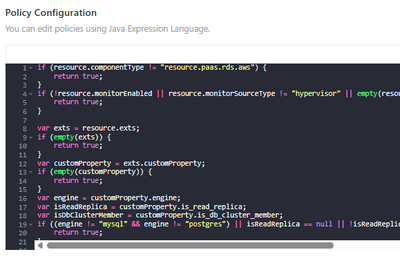
Customize your optimization strategy and optimization methods
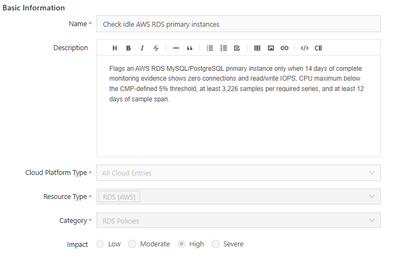
- STEP1. Define basic information for optimization policy.
- STEP2. Define specific rules and use Java Expression Language to quickly create clear and understandable policies.
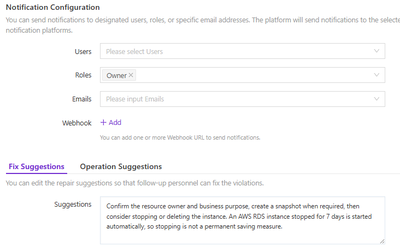
- STEP3. Define notifications after policy triggers, optimization recommendations, and even automated remediation actions.
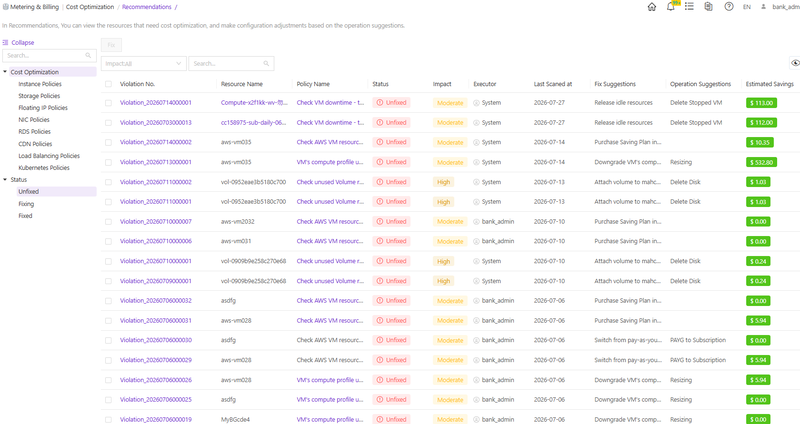
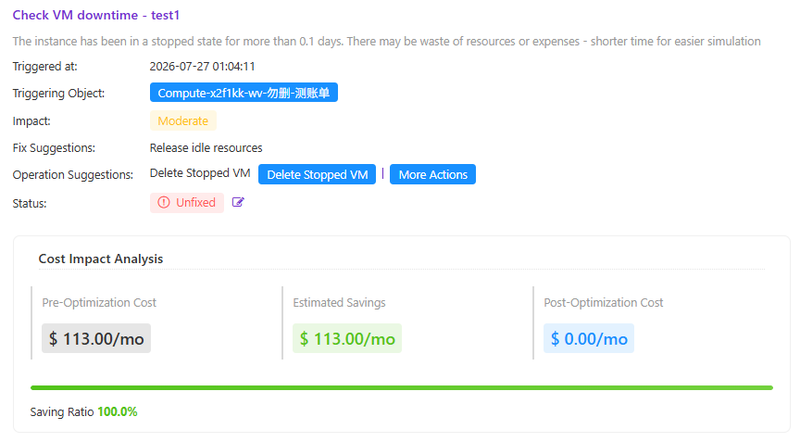
Automatically detect scenarios that can be optimized and optimize with one click
Immediately improve utilization, enhance compliance, and reduce costs
More products
One platform, six products